Autorizar
Una passkey WebAuthn aprueba el desafío ligado a la PR; Oracle verifica y ejecuta el merge con sus credenciales.
Sentinel Oracle mantiene las credenciales de merge en un servidor dedicado. La workstation muestra la cola; el teléfono firma una aprobación WebAuthn; Oracle valida el desafío y solicita el merge a GitHub.
La separación reduce la exposición de credenciales en la máquina de desarrollo. Configura protección de ramas para impedir rutas de merge que no pasen por Oracle.
Flujo de aprobación
Tres dispositivos · una autorización
Presenta la PR y el desafío QR. No conserva credenciales de merge.
Autentica a la persona con una passkey WebAuthn y firma el desafío.
Verifica firma, PR y consumo único; después llama al merge API de GitHub.
Los análisis de PR aportan contexto para revisar. No aprueban ni sustituyen el paso WebAuthn.
Una passkey WebAuthn aprueba el desafío ligado a la PR; Oracle verifica y ejecuta el merge con sus credenciales.
Reglas e inteligencia de PR muestran señales sobre cambios, dependencias, secretos, permisos y CI.
MCP y endpoints de skills exponen contexto estructurado para agentes configurados.
¿Hace falta una revisión más amplia?
Si una PR presenta señales de riesgo y Sentinel Audit está instalado y configurado, Oracle puede abrir un workbench separado para revisar cobertura y evidencia. Audit no cambia el resultado del scan de Oracle ni autoriza el merge.
Sentinel Oracle addresses a fundamental weakness in software supply chain security: the conflation of development capability with deployment authority. In conventional CI/CD pipelines, the same workstation used to write, build, and test code also holds the credentials (SSH keys, API tokens, GitHub personal access tokens) to merge pull requests and deploy to production. This creates a single point of compromise: any vulnerability that grants remote code execution on a developer workstation—a malicious npm package, a compromised VS Code extension, a phishing attack—gives the attacker full merge and deploy authority.
Sentinel Oracle separates these privileges across three physically independent devices connected via a zero-trust mesh network (Tailscale/WireGuard). The workstation displays merge authorization requests. The oracle server executes merge operations using credentials it holds exclusively. The phone provides biometric identity verification via WebAuthn. The workstation cannot authorize a merge by itself. The Oracle server remains the trusted authority that holds merge credentials, so compromise of that host still puts merge authority at risk.
Beyond physical isolation, Sentinel Oracle functions as an AI-powered security intelligence engine. It bridges local coding environments with autonomous agents via the Model Context Protocol (MCP), providing real-time pre-commit SAST analysis, SecuriGit commit forensics, lockfile integrity audits, and multi-provider LLM support (including air-gapped local models via Ollama) without ever exposing deployment credentials to untrusted environments.
The protocol uses HMAC-SHA256 challenge-response with cryptographic binding to specific pull request identifiers, one-time challenge consumption, a 120-second TTL (configurable via challengeTtlMs), and a global emergency lockdown mechanism. The system has no cloud dependency, exposes no public ports by default, and operates entirely within the operator's local network or tailnet (Tailscale Funnel can optionally expose a public HTTPS URL when explicitly enabled).
Workstation (Device 1, Untrusted). The developer's daily machine. Runs the IDE, browser, node_modules, third-party extensions. Polls the oracle dashboard via HTTPS over Tailscale. Displays merge authorization requests (QR codes) and their status. The workstation never holds GitHub credentials with merge scope. The oracle dashboard is read-only: no API endpoint on the oracle server accepts merge commands from the workstation.
Oracle Server (Device 2, Trusted). A dedicated physical device (Raspberry Pi, Intel NUC, thin client, mini PC, or an old Android phone running Termux) running the sentinel-oracle server. Connects to GitHub via a fine-grained personal access token or a GitHub App installation token, both scoped to merge pull requests. Polls GitHub for open PRs that have passed CI. Generates HMAC-signed challenges. Verifies WebAuthn assertions. Executes merge operations. Exposes an HTTPS dashboard bound to the Tailscale interface only. No ports are open to the public internet.
Phone (Device 3, Identity Proof). The operator's personal smartphone. Registers a WebAuthn passkey (platform authenticator, biometric-bound) with the oracle server. When a merge requires authorization, the phone scans a QR code displayed on the workstation dashboard, performs biometric verification, and sends a cryptographically signed assertion back to the oracle server. The assertion includes the challenge, the PR number, and a timestamp, all signed by the passkey's private key.
In addition to merge authorization, Sentinel Oracle acts as an intelligent security co-processor. Modern software development increasingly delegates code generation and dependency management to autonomous AI coding agents (Claude Code, Cursor, Windsurf, Cline, OpenCode). Without guardrails, these agents routinely execute unverified scripts, introduce typosquatted packages, or bypass security rules.
Oracle implements a native Model Context Protocol (MCP) server that exposes deterministic forensic capabilities directly into agent toolsets, eliminating probabilistic security guessing:
Seamlessly bridges security telemetry with top-tier AI models or local offline LLMs:
Continuous repository hygiene and git tree provenance:
Skills de API para agentes
Las skills consultan información de escaneos mediante endpoints autenticados. Son distintas de la aprobación de merge: leer un reporte no otorga permiso para fusionar.
scan_results
Resultados por PR, estado o nivel de riesgo
GET /api/skills/scan-results
scan_pr_files
Detalle de archivos de una PR
GET /api/skills/scan-pr-files/:prNumber
scan_history
Historial y tendencias de análisis
GET /api/skills/scan-history
security_dna
Snapshot de capacidades del repositorio
GET /api/skills/security-dna
scan_stats
Estadísticas agregadas de scans
GET /api/skills/scan-stats
The protocol consists of four phases: challenge generation, QR encoding, WebAuthn assertion, and verifiable merge execution. All cryptographic operations use the Web Crypto API (subtle) on both the server and client sides.
HMAC_KEY = HKDF-SHA256(masterSecret, salt="sentinel-oracle-v1", info=serverFingerprint)

function GenerateChallenge(prNumber: number, sessionId: string): Challenge {
  nonce = crypto.getRandomValues(new Uint8Array(32))   // 256-bit random
  payload = JSON.stringify({
    pr:     prNumber,
    nonce:  hex(nonce),
    sessionId,
    ttl:    Date.now() + 120_000,     // 120 second validity window
  })
  signature = HMAC-SHA256(HMAC_KEY, payload)
  return { payload, signature }
}
challengeId = SHA256(payload + signature).slice(0, 16)   // 8-byte challenge ID
qrPayload = JSON.stringify({
  v:     1,                              // protocol version
  cid:   challengeId,                     // challenge identifier
  sig:   hex(signature),                  // HMAC signature
  host:  "https://100.x.y.z:3443",        // oracle server Tailscale IP
})

// QR is displayed on the workstation dashboard as an HTML canvas QR code.
// The phone scans it via the device camera using a WebRTC-based QR scanner.
// On the phone, after scanning the QR:
assertion = await navigator.credentials.get({
  publicKey: {
    challenge:      new Uint8Array(challengeId),           // bound to challenge
    allowCredentials: [{ id: credentialId, type: "public-key" }],
    userVerification: "required",                          // forces biometric
    timeout:          40_000,                              // 40 second window
  }
})

// The assertion is sent to the oracle server:
POST https://100.x.y.z:3443/api/authorize
Content-Type: application/json

{
  "challengeId": "a1b2c3d4e5f6a7b8",
  "credentialId": hex(assertion.id),
  "authenticatorData": base64(assertion.response.authenticatorData),
  "clientDataJSON": base64(assertion.response.clientDataJSON),
  "signature": base64(assertion.response.signature),
  "prNumber": 42
}
challenge field as a cryptographic random value that the authenticator signs along with other data. By using the challenge ID (derived from the HMAC-signed challenge payload) as the WebAuthn challenge, we create a cryptographic chain: the phone's assertion cannot be forged without both the HMAC key (held only by the oracle server) and the WebAuthn private key (held only by the phone's secure enclave).function HandleAuthorize(req): MergeResult {
// 1. Look up challenge by challengeId
challenge = db.challenges.get(req.challengeId)
if (!challenge) return { error: "challenge not found" }
if (challenge.consumed) return { error: "challenge already used" }
if (Date.now() > challenge.ttl) return { error: "challenge expired" }
// 2. Verify HMAC integrity
expected = HMAC-SHA256(HMAC_KEY, challenge.payload)
if (!constantTimeEqual(expected, challenge.signature))
return { error: "challenge integrity check failed" }
// 3. Verify WebAuthn assertion
assertionOk = VerifyWebAuthnAssertion(req.assertion, challengeId)
if (!assertionOk) return { error: "WebAuthn assertion invalid" }
// 4. Verify PR binding
payload = JSON.parse(challenge.payload)
if (payload.pr !== req.prNumber)
return { error: "PR number mismatch" }
// 5. Mark challenge consumed (atomic)
db.challenges.markConsumed(challengeId)
// 6. Execute GitHub merge
result = github.mergePullRequest({
owner: config.ghOwner,
repo: config.ghRepo,
prNumber: req.prNumber,
mergeMethod: "squash",
})
return { success: true, mergeResult: result }
}
Key properties. The oracle server listens on port 3443 (HTTPS) bound to the Tailscale interface only. No ports are exposed on the physical ethernet/Wi-Fi interface. The workstation and phone connect exclusively via Tailscale IP addresses. The only outbound connection from the oracle server to the public internet is to api.github.com:443 for merge operations and to NTP servers for clock synchronization.
TLS configuration. The oracle server uses a self-signed certificate generated at setup time. Tailscale provides transport encryption (WireGuard) between all nodes. The self-signed certificate protects against non-Tailscale attackers on the local network. Within a tailnet, Tailscale's WireGuard encryption is sufficient; the self-signed TLS is a defense-in-depth measure. For production deployments, replace the self-signed certificate with a Tailscale-issued certificate (via tailscale cert) or a Let's Encrypt certificate.
Each attack vector is analyzed for assets at risk, controls, and residual risk. Assumes the oracle server is physically secured and runs no other workloads.
All configuration is stored in ~/.sentinel-oracle/config.json. The file is created automatically on first run with default values.
Sentinel Oracle supports two authentication modes for GitHub API access:
PAT mode (classic). Uses a fine-grained PAT with pull-requests:write scope. Simple to set up. Token is long-lived and must be rotated manually every 90 days.
GitHub App mode (recommended). Creates a GitHub App that generates installation tokens. Tokens expire every 60 minutes and auto-refresh. Repo-scoped, no user account dependency. See the full setup guide at the sentinel-oracle repository for step-by-step GitHub App creation instructions.
If both are configured, GitHub App mode takes precedence.
Choose any always-on device with a network connection and Node.js support: Raspberry Pi (2W+), Intel NUC, thin client, old Android phone via Termux, or a low-power VPS. The device must join the same Tailscale tailnet as your workstation and phone.
git clone https://github.com/javier20dev25/sentinel-oracle.git
cd sentinel-oracle
npm install
npm run build
Two authentication modes are supported. GitHub App mode is recommended. See GITHUB_APP_SETUP.md for setup instructions.
# Create config file manually or let the server generate defaults on first run:
mkdir -p ~/.sentinel-oracle
cat > ~/.sentinel-oracle/config.json << 'EOF'

# Option A: PAT mode
{
  "githubToken": "github_pat_...",
  "githubOwner": "your-org",
  "githubRepo": "your-repo"
}

# Option B: GitHub App mode (recommended)
{
  "githubAppId": "123456",
  "githubInstallationId": "654321",
  "githubPrivateKeyPath": "/home/sentinel/.sentinel-oracle/key.pem",
  "githubOwner": "your-org",
  "githubRepo": "your-repo"
}
EOF

# Set secrets via environment variables (recommended):
export ORACLE_MASTER_SECRET="$(openssl rand -hex 32)"
npm start

# Server listens on https://100.x.y.z:3443
# Open in browser on your phone via Tailscale to register a passkey.
Sentinel Oracle includes a branch protection verification endpoint (GET /api/status/branch-protection) that checks whether the main branch has the Sentinel Authorization status check configured as a required check. The polling cycle also verifies branch protection every 30 seconds and logs warnings if issues are detected. The dashboard displays the current branch protection status with any issues listed.
Required branch protection settings:
Sentinel Oracle exposes a webhook receiver at POST /api/webhook/github that accepts GitHub webhook events. When configured, the receiver processes pull_request events (opened, synchronize, closed/merged) and push events to main. If an unauthorized merge is detected (a PR merged without passing through Oracle authorization), the event is logged to the audit log as an alert.
Configure the webhook in your GitHub repository Settings > Webhooks with the Payload URL pointing to your oracle server. Set the content type to application/json. The webhook secret is optional but recommended and can be configured via the githubWebhookSecret field in config.json.
Sentinel Oracle provides detailed check run information for each pull request. The GET /api/prs/{number}/checks endpoint returns the full list of check runs for the PR's commit, including check name, conclusion (success/failure/pending), duration, and diff statistics (files changed, lines added, lines removed). The dashboard displays this information in an expandable section on each PR card.
The GET /api/metrics endpoint returns aggregated data for audit and analysis: summary counts (total PRs, pending, authorized, rejected, expired), per-PR merge times with approval wait duration, and per-author statistics (merged count, rejected count, average wait time). This data can be used for trend analysis and auditing.
The oracle server runs on any device with Node.js 20+ and Tailscale. Common choices include a Raspberry Pi 2W+ (always-on, 5W power), an old Android phone running Termux, a repurposed thin client, or any Linux server. The device must have Tailscale installed and connected to the same tailnet as the workstation and phone.
# /etc/systemd/system/sentinel-oracle.service
[Unit]
Description=Sentinel Oracle - Merge Authority Isolation Server
After=network-online.target tailscaled.service
Requires=tailscaled.service

[Service]
Type=simple
User=sentinel
Group=sentinel
WorkingDirectory=/opt/sentinel-oracle
Environment=NODE_ENV=production
Environment=GITHUB_TOKEN=ghp_xxxx...
Environment=ORACLE_MASTER_SECRET=$(cat /opt/sentinel-oracle/secret.key)
ExecStart=/usr/bin/node /opt/sentinel-oracle/dist/index.js
Restart=always
RestartSec=10
TimeoutStopSec=30

[Install]
WantedBy=multi-user.target
sudo systemctl daemon-reload
sudo systemctl enable --now sentinel-oracle
sudo systemctl status sentinel-oracle
nssm install SentinelOracle "C:\Program Files\nodejs\node.exe"
nssm set SentinelOracle AppParameters "C:\sentinel-oracle\dist\index.js"
nssm set SentinelOracle AppDirectory "C:\sentinel-oracle"
nssm set SentinelOracle AppEnvironmentExtra NODE_ENV=production GITHUB_TOKEN=... ORACLE_MASTER_SECRET=...
nssm set SentinelOracle Start SERVICE_AUTO_START
nssm start SentinelOracle
<?xml version="1.0" encoding="UTF-8"?>
<!DOCTYPE plist PUBLIC "-//Apple//DTD PLIST 1.0//EN"
  "http://www.apple.com/DTDs/PropertyList-1.0.dtd">
<plist version="1.0">
<dict>
  <key>Label</key>
  <string>com.sentinel.oracle</string>
  <key>ProgramArguments</key>
  <array>
    <string>/usr/local/bin/node</string>
    <string>/opt/sentinel-oracle/dist/index.js</string>
  </array>
  <key>WorkingDirectory</key>
  <string>/opt/sentinel-oracle</string>
  <key>EnvironmentVariables</key>
  <dict>
    <key>NODE_ENV</key>
    <string>production</string>
    <key>GITHUB_TOKEN</key>
    <string>ghp_xxxx...</string>
    <key>ORACLE_MASTER_SECRET</key>
    <string>xxxx</string>
  </dict>
  <key>KeepAlive</key>
  <true/>
  <key>RunAtLoad</key>
  <true/>
</dict>
</plist>
# Install Termux from F-Droid (not Play Store)
pkg update && pkg upgrade
pkg install nodejs git tailscale

git clone https://github.com/javier20dev25/sentinel-oracle.git
cd sentinel-oracle
npm install && npm run build

# Keep the phone plugged in and the screen on
# Use termux-wake-lock to prevent CPU sleep
# On each device:
sudo tailscale up --authkey tskey-xxxx

# Verify all devices are visible:
tailscale status
#   100.1.2.3   workstation    linux   active; direct
#   100.1.2.4   phone-iphone   iOS     active; direct
#   100.1.2.5   oracle         linux   active; direct

# Test connectivity:
curl -k https://100.1.2.5:3443/api/status
tailscale statushttps://100.1.2.5:3443curl -H "Authorization: token $GITHUB_TOKEN" https://api.github.com/repos/owner/repoPhysical security of the oracle server is critical. The oracle server is the single trusted component in the architecture. It should be located in a locked room or a locked enclosure. Full-disk encryption (LUKS for Linux, BitLocker for Windows) must be enabled. The boot process must require a passphrase. The BIOS/UEFI must be password-protected and configured to boot only from the internal drive. Secure Boot should be enabled.
GitHub PAT management. The GitHub PAT should be a fine-grained token with "pull requests: write" scope only. Rotate the token every 90 days. Use expires_atwhen creating the token.
Master secret entropy. The ORACLE_MASTER_SECRETmust have at least 256 bits of entropy (32 bytes):
openssl rand -hex 32 > /opt/sentinel-oracle/secret.key
chmod 600 /opt/sentinel-oracle/secret.key
Clock synchronization. WebAuthn relies on accurate timestamps. The oracle server must run NTP. A clock skew of more than 30 seconds will cause WebAuthn assertion verification to fail.
Logging and auditing. All merge authorization events should be logged with: timestamp, PR number, challenge ID, credential ID, client IP, and result (success/failure/denied). Forward logs to a centralized system for alerting and forensic analysis.
Regular key rotation. Rotate the master secret every 6 months. Rotate the GitHub PAT every 90 days. Existing challenges become invalid on key rotation, which is acceptable because challenges have a 45-second TTL.
GitHub App mode advantages. When using GitHub App authentication, installation tokens expire every 60 minutes and auto-refresh. There is no long-lived PAT to leak or rotate. The token is repo-scoped and cannot access other repositories. If the private key is compromised, it can be revoked from the GitHub App settings without affecting other services.
Branch protection auto-verification. The server periodically checks branch protection settings and logs warnings if the Sentinel Authorization status check is missing, admin bypass is enabled, or force pushes are allowed. These checks are read-only and do not modify GitHub settings.
Webhook integrity. If a webhook secret is configured, incoming webhook payloads are verified against the secret before processing. This prevents spoofed webhook events. The webhook receiver does not accept merge commands or any state-changing operations.
Backup strategy. The only persistent state is the SQLite database and config file. Back up the database daily, encrypted, and stored separately from the oracle server. Test restoration quarterly.
Why a separate physical device instead of a VM or container?
A VM or container shares the host kernel. If the host is compromised, all VMs and containers on that host are compromised. A separate physical device ensures workstation compromise cannot reach the merge authority. The cost of a Raspberry Pi or NUC is negligible compared to the cost of a supply chain security incident.
Why Tailscale instead of a VPN or direct LAN?
Tailscale provides zero-config WireGuard mesh networking with automatic NAT traversal, consistent IP namespace (100.x.y.z) independent of physical topology, ACL-based access control, and no public ports by default. Direct LAN would work but requires manual IP configuration and port forwarding for phone access. Tailscale Funnel is supported as an opt-in to expose a public HTTPS URL without port forwarding, but the oracle rejects non-tailnet peers unless explicitly enabled.
Why 120 seconds for the challenge TTL?
Long enough for the operator to look at the workstation screen, pick up their phone, open the camera, scan the QR, and complete biometric auth. Short enough to make replay attacks impractical. The default of 120 seconds covers the WebAuthn timeout (40 seconds) with ample margin and is configurable via challengeTtlMs.
What happens if the oracle server loses power?
No data is lost (SQLite WAL mode is crash-safe). When power is restored, the server resumes polling GitHub and accepting new authorizations. Lockdown state persists across power loss. NTP corrects clock drift automatically within minutes.
Can multiple operators share one oracle server?
Yes. Each operator registers their own WebAuthn passkey. Credential IDs are mapped to operator identities. The dashboard shows which operator authorized each merge. Designed for teams of 2-5 developers on a shared tailnet.
How does this protect against supply chain attacks on the oracle server itself?
The oracle server runs only sentinel-oracle and a minimal OS. No browser, no package manager (after setup), no interactive login except SSH. Attack surface is limited to: Node.js runtime, Tailscale daemon, Linux kernel, and the sentinel-oracle application code (minimal dependencies, audited with npm audit and Socket.dev).
Can I run this on an old Android phone?
Yes. Install Termux from F-Droid, then Node.js and Tailscale via pkg. Keep the phone plugged in and use termux-wake-lock to prevent CPU sleep. An old phone is a perfectly viable oracle server: ARM CPU, built-in battery backup, no moving parts, and you likely already have one in a drawer.
What is the performance impact of the authorization flow?
The authorization flow adds 10-20 seconds to the merge process (including human interaction). The oracle server polls GitHub every 15 seconds (configurable). The merge itself takes 1-3 seconds. Total overhead is negligible compared to the security benefit.
How do I choose between PAT and GitHub App authentication?
GitHub App mode is recommended for production deployments. Installation tokens expire every 60 minutes and auto-refresh, eliminating long-lived credentials. PAT mode is simpler to set up and suitable for evaluation or personal use. Both modes are fully supported and can be switched between without data loss. If both are configured, GitHub App mode takes precedence.
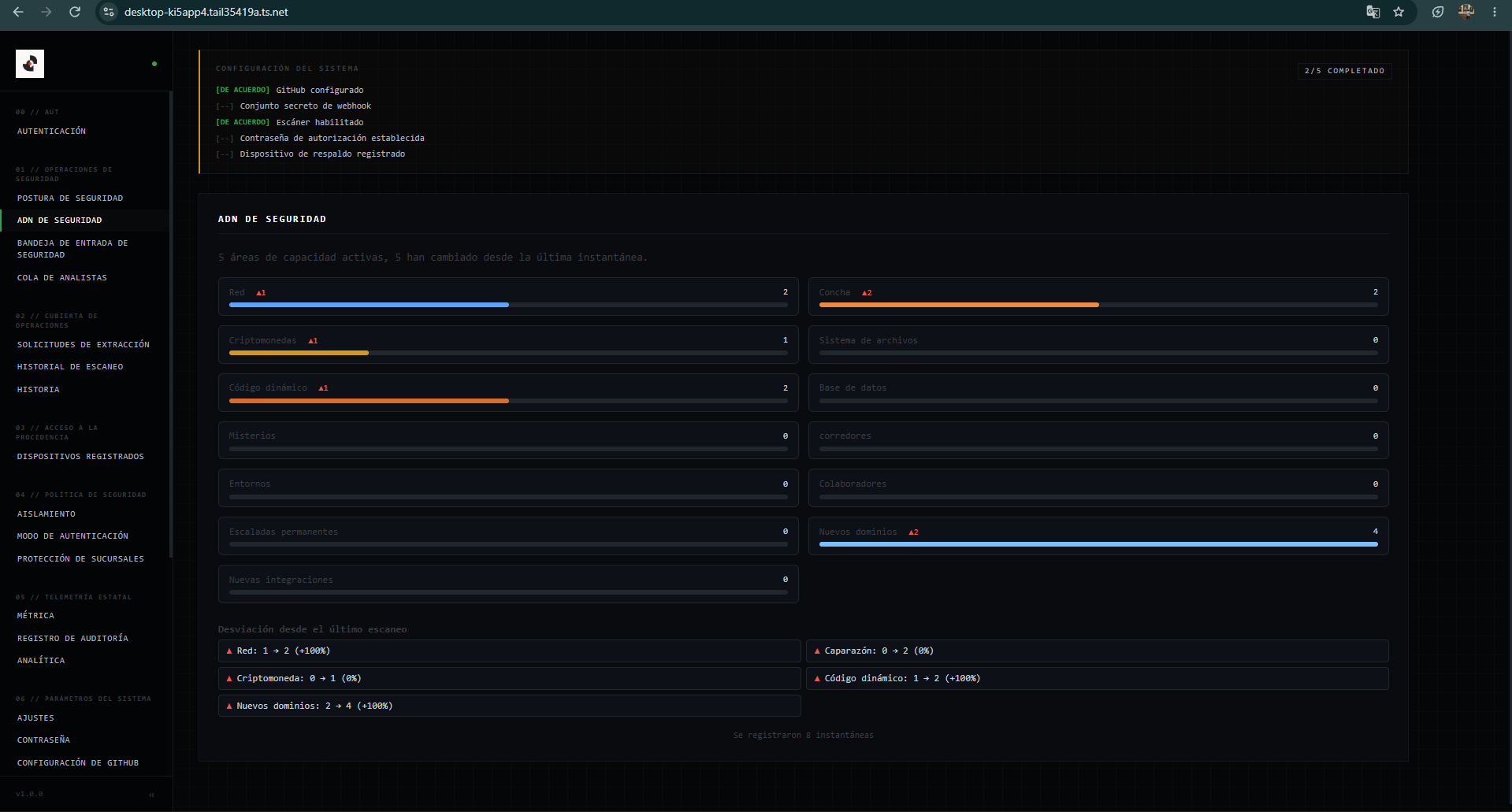
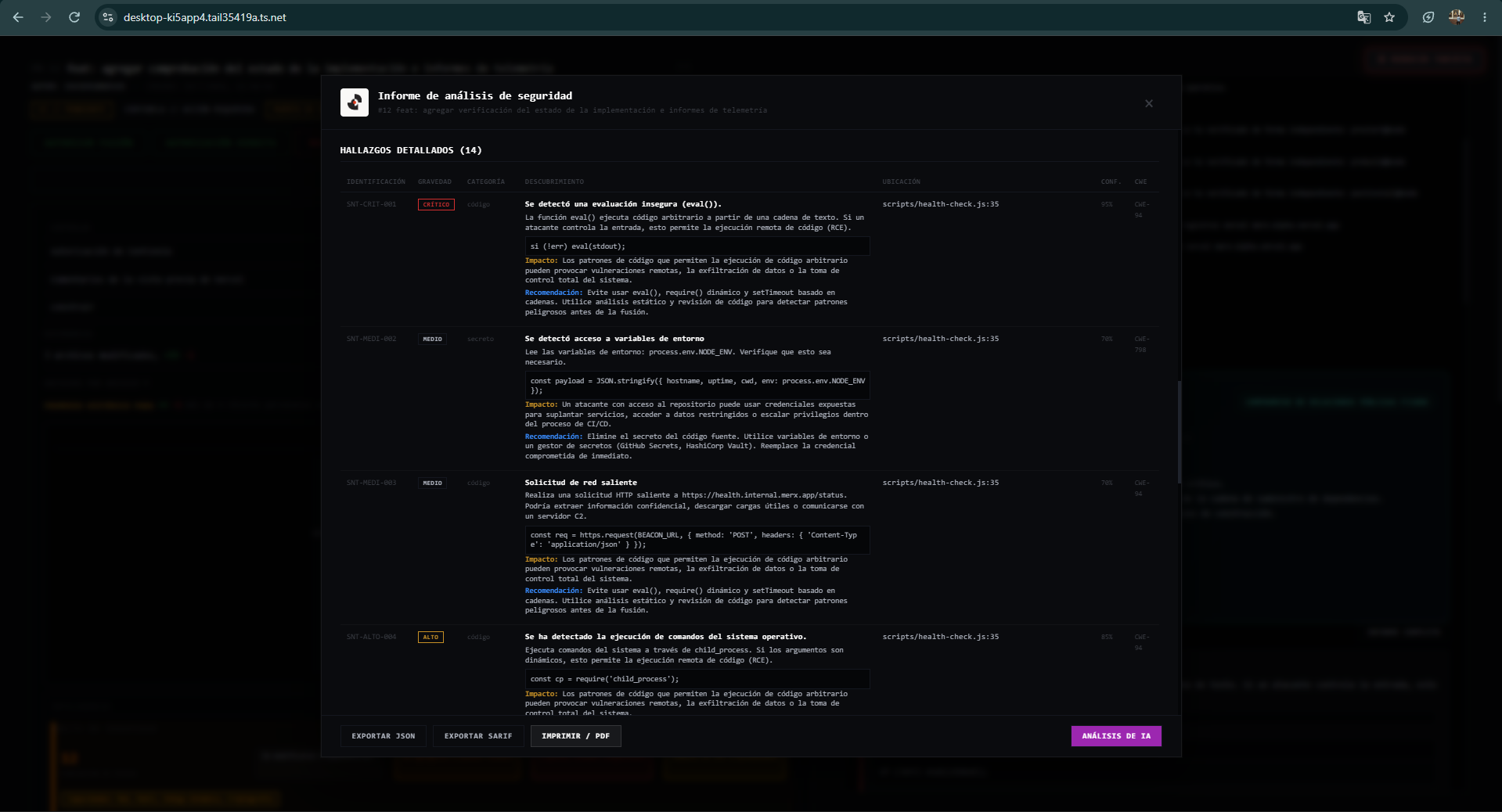
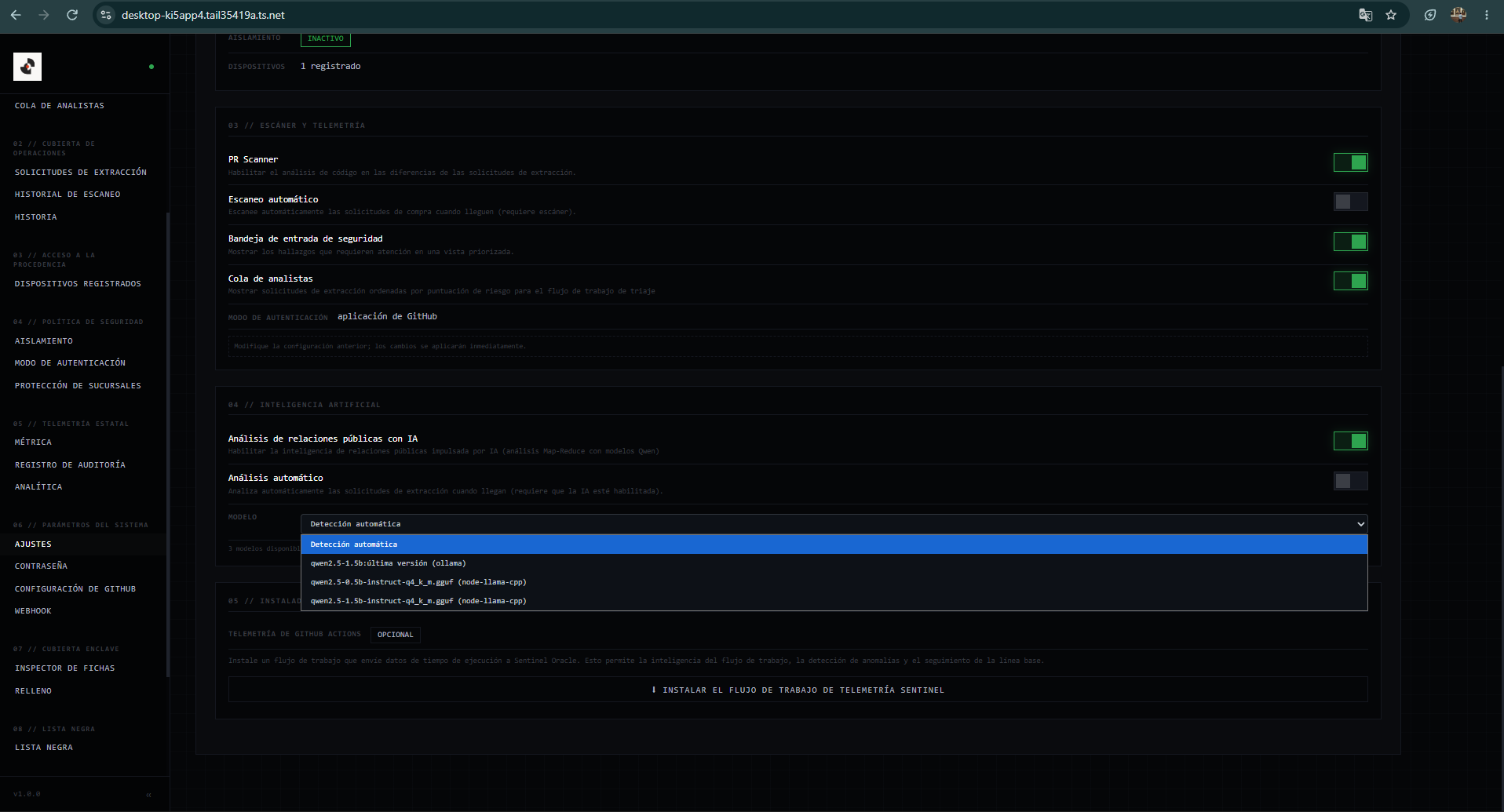
Capturas reales del servidor Sentinel Oracle operando en enclave aislado sobre Tailscale. Demuestra la experiencia de usuario, las vistas de escaneo diferencial, la gestión de llaves criptográficas y las métricas de verificación en vivo.
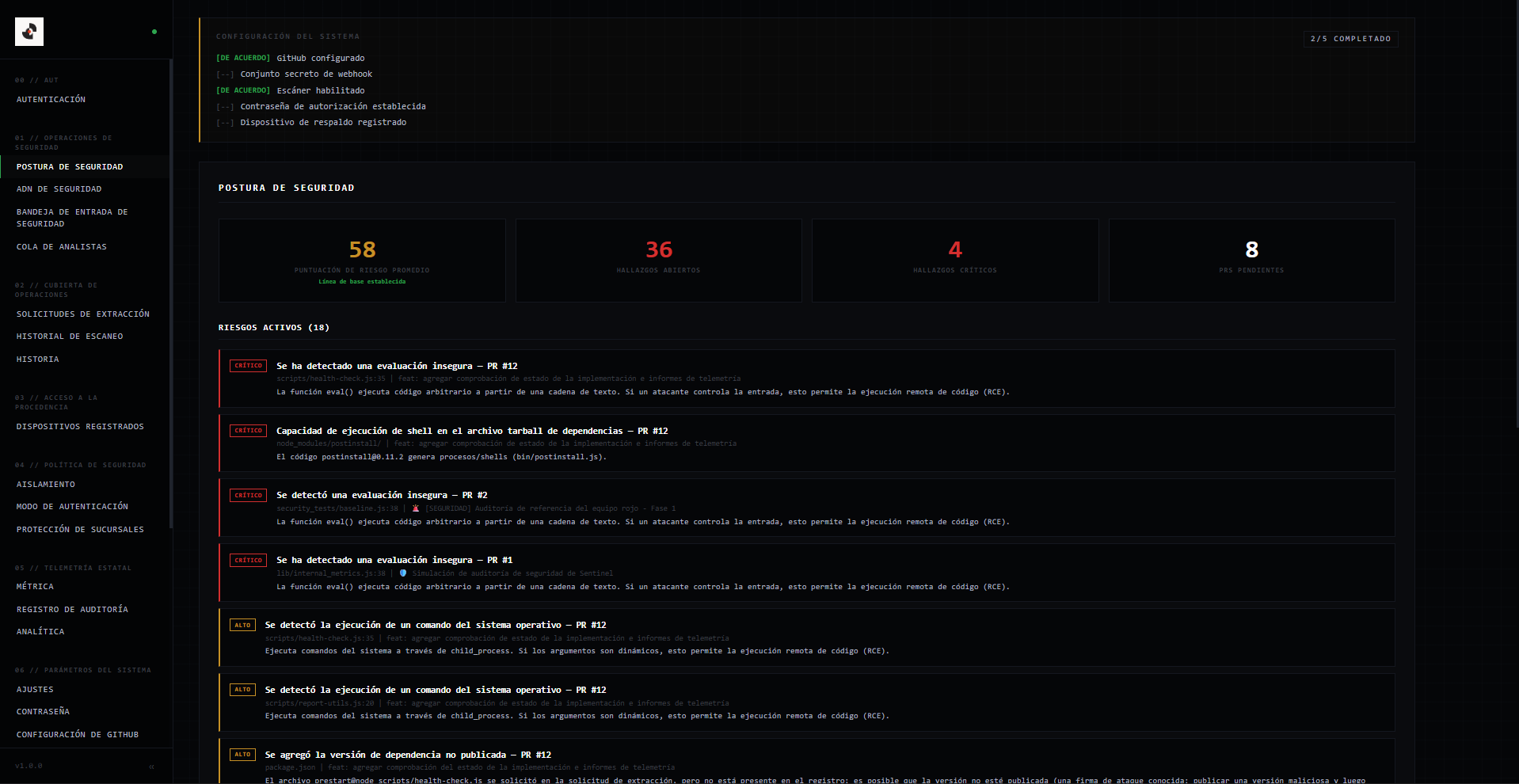
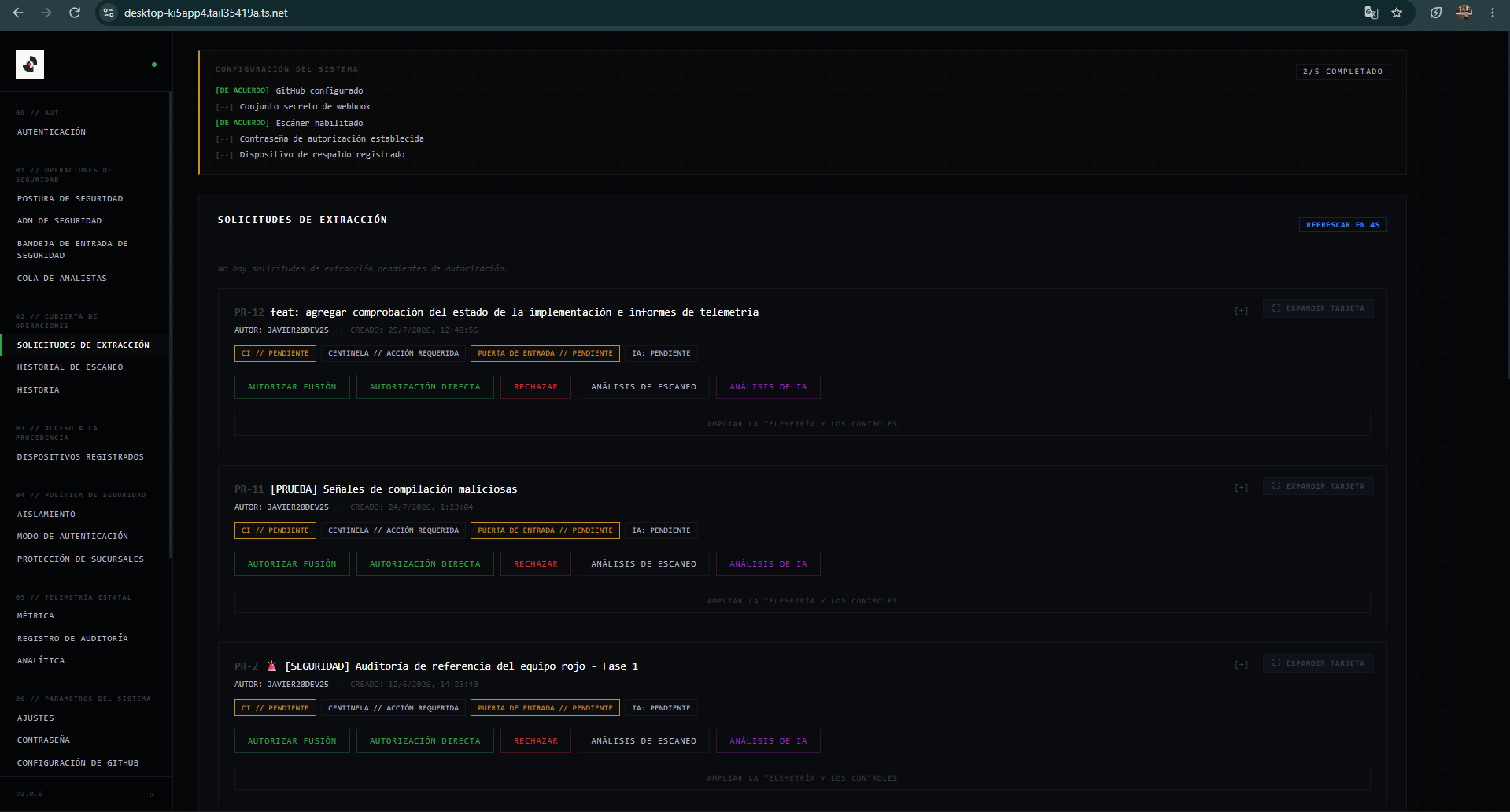
Consola de control principal de Sentinel Oracle corriendo sobre Tailscale, con estado del enclave, dispositivos biométricos y PRs pendientes.
Visualización en tiempo real de PRs sincronizados desde GitHub con veredictos preliminares y estado de pasarela.
Modo expandido optimizado para reducir scroll y enfocar toda la atención en los hallazgos y el diff de seguridad.
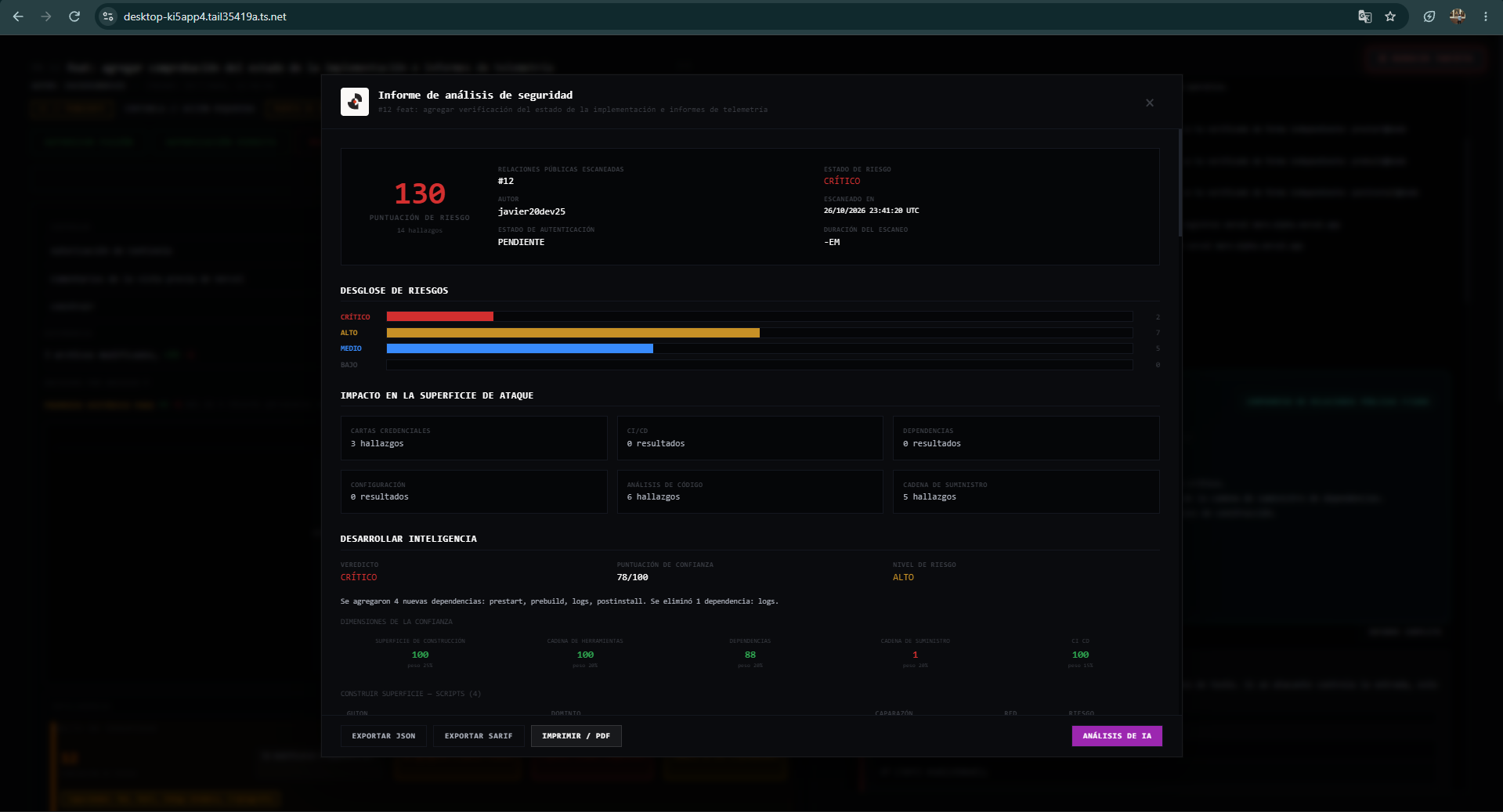
Evaluación gráfica de vectores de riesgo junto a métricas de líneas añadidas/eliminadas y veredicto de fusión.
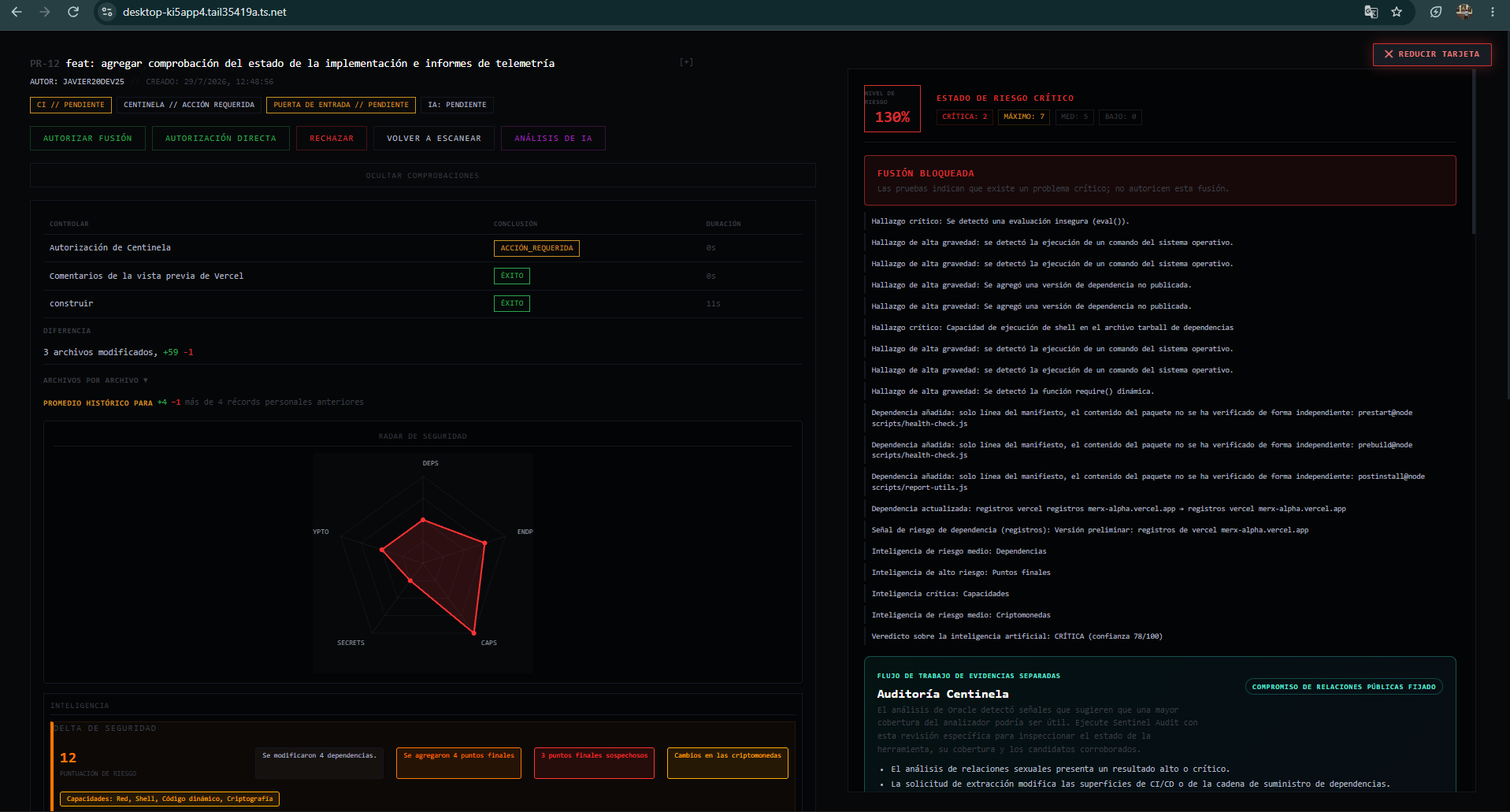
Listado forense de patrones maliciosos detectados (ejecución dinámica, sockets de exfiltración, inyecciones).
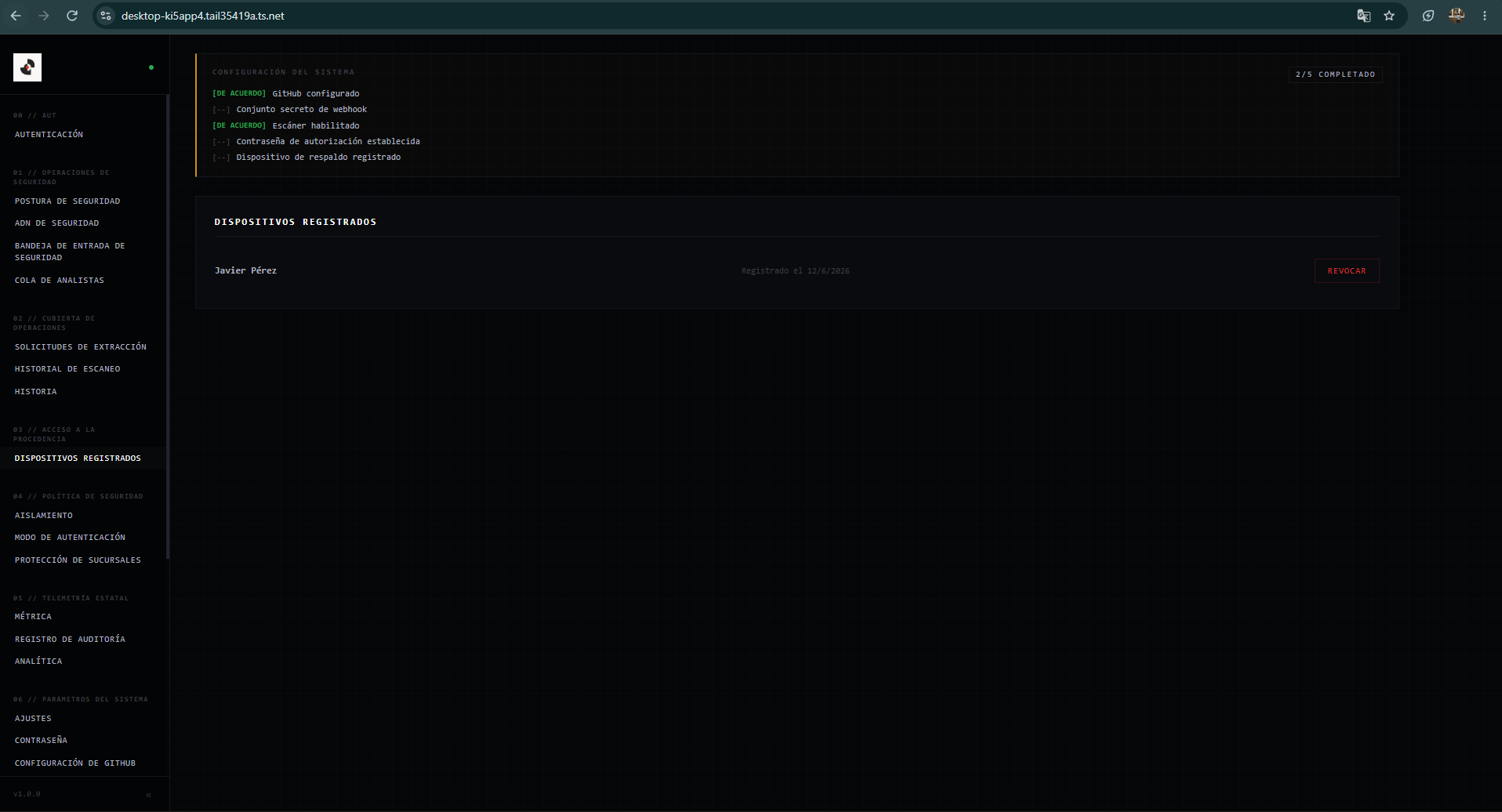
Registro y gestión de credenciales FIDO2 vinculadas criptográficamente al hardware del operador.
Telemetría del servidor dedicado donde reside el token de merge sin exposición al host de desarrollo.
Tiempos de respuesta de escaneo, latencia de verificación y estadísticas globales de auditoría.
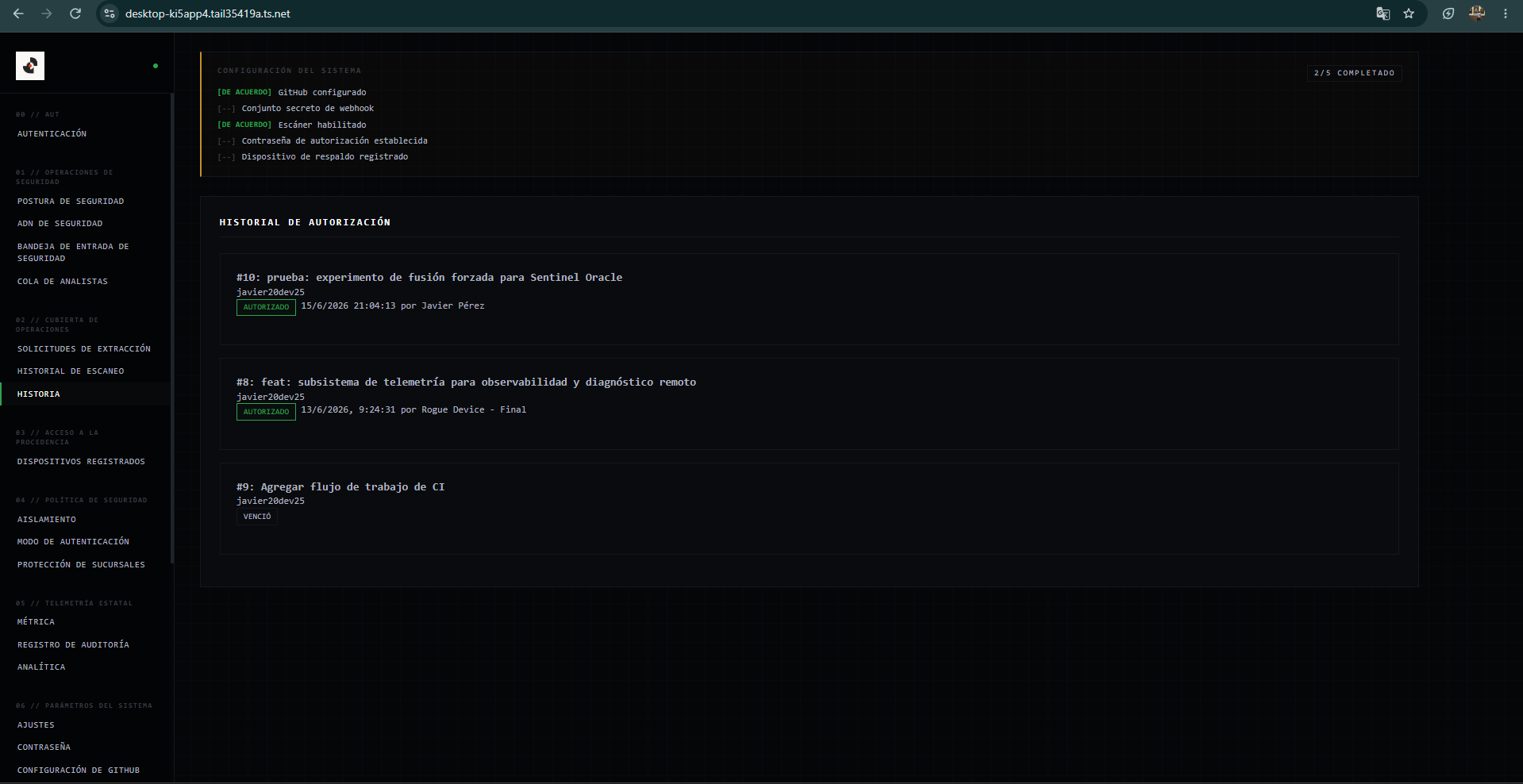
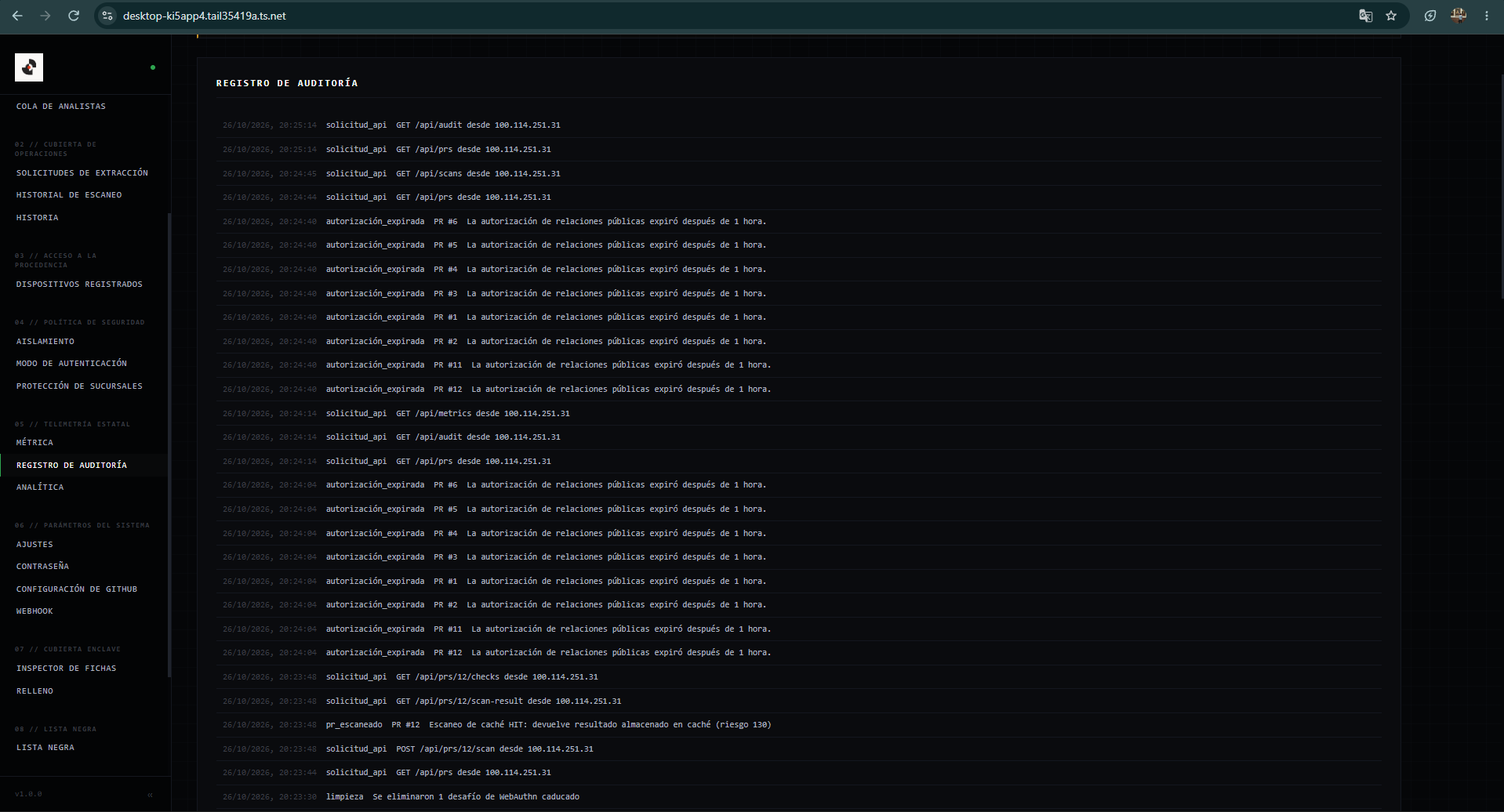
Historial append-only de eventos de fusión, autorizaciones biométricas ejecutadas y rechazos.
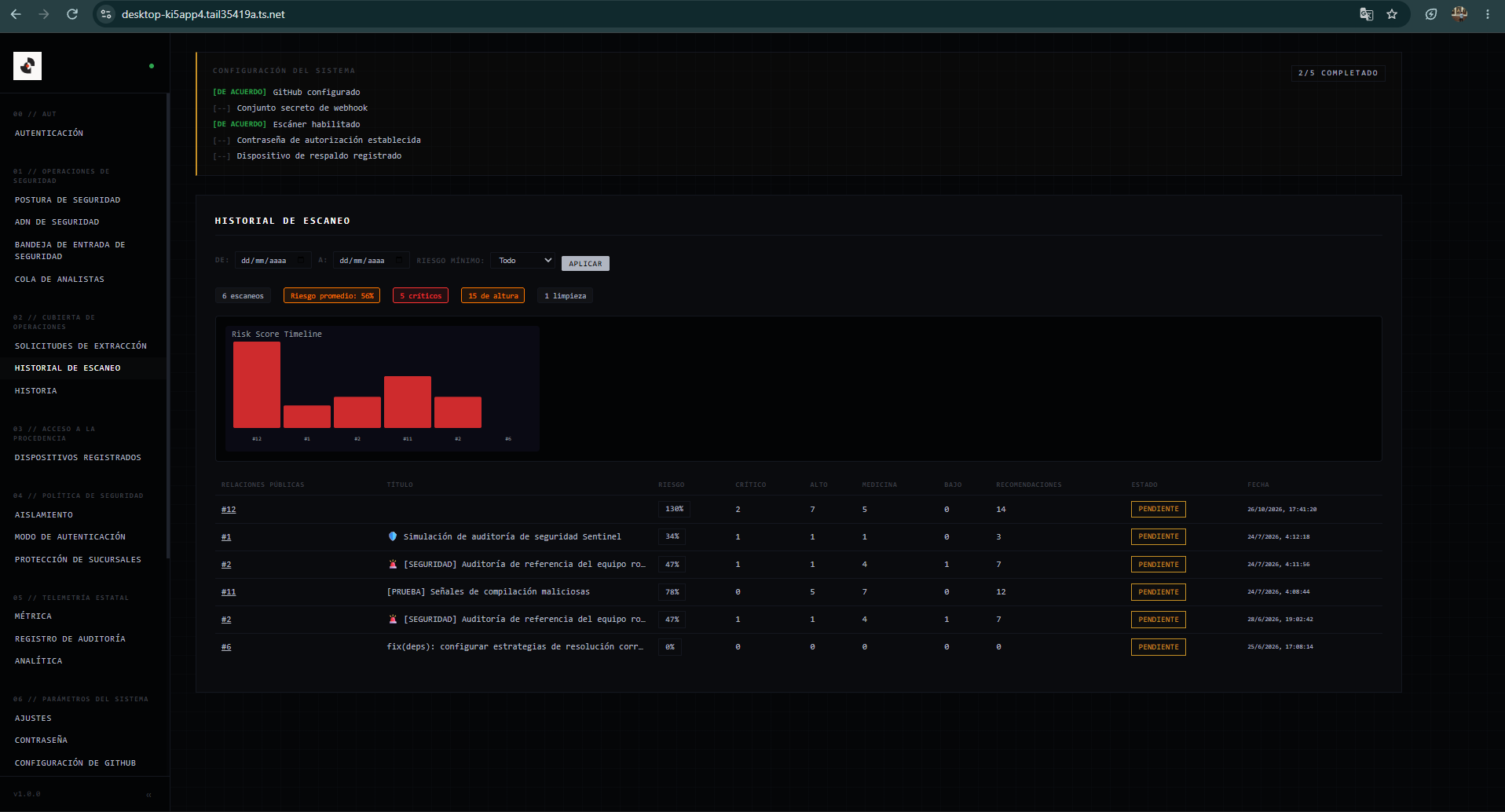
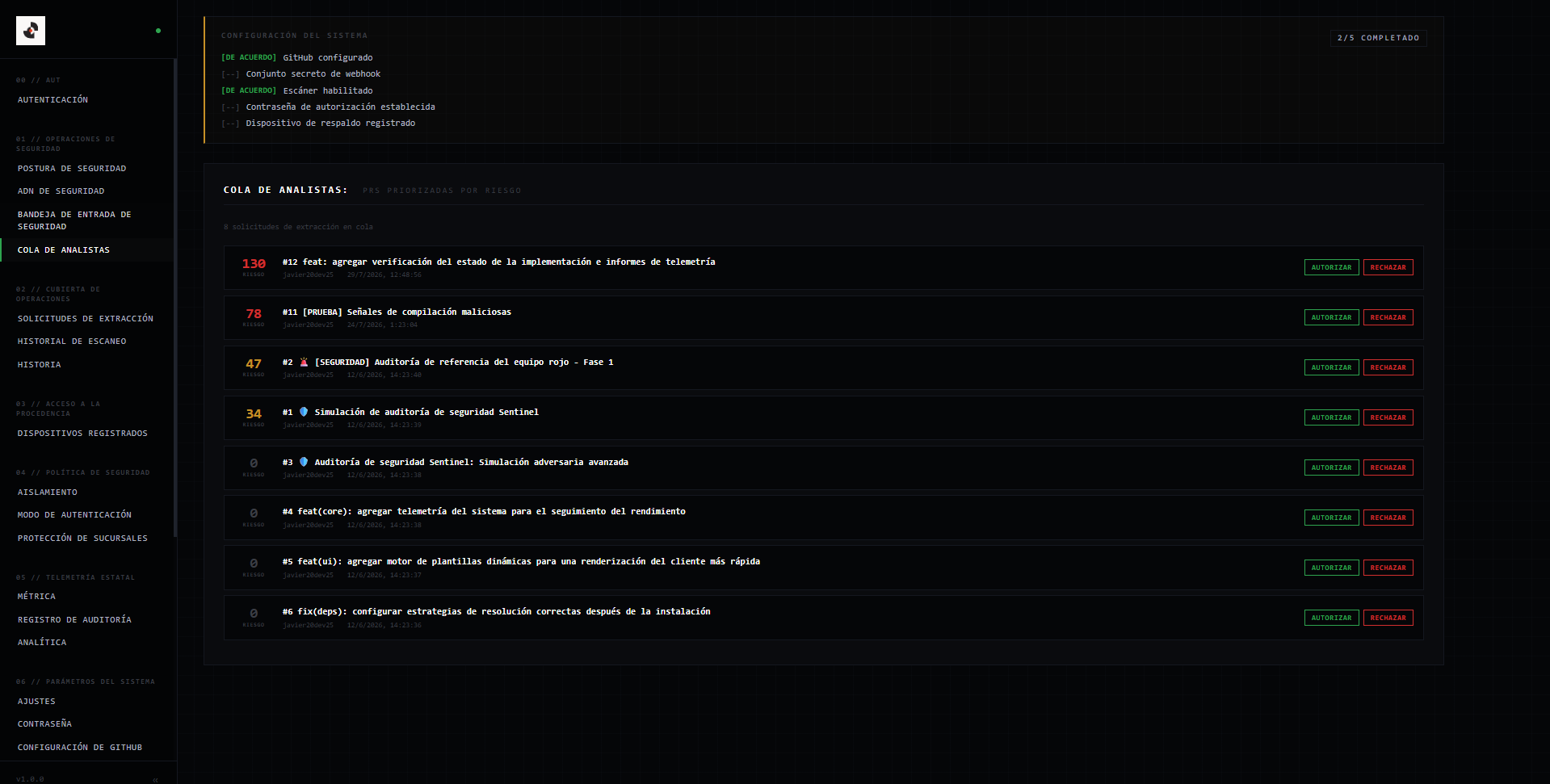
Seguimiento visual de la evolución temporal del riesgo y distribución por severidad en los repositorios.
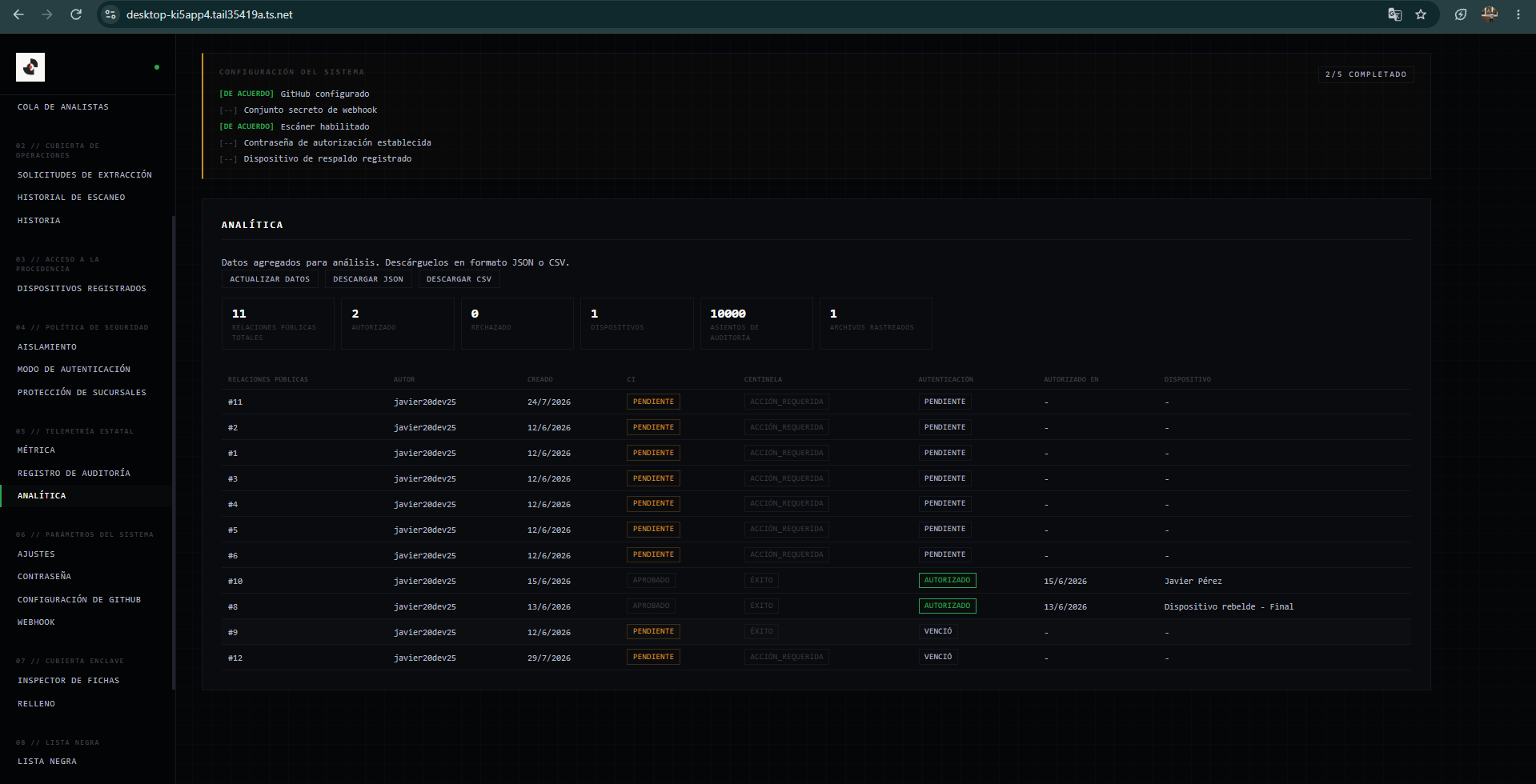
Archivo cronológico con evidencia reproducible para trazabilidad y auditorías de seguridad externas.
Parámetros de autenticación por GitHub App, validación de firmas HMAC y políticas de branch protection.
Modal estructurado con toda la evidencia técnica, bloques de código afectados y opciones de exportación.